11 min read
CLI Is All You Need
I have no business being in a command line. I'm not a software engineer. I don't have a CS degree. Three years ago, the terminal was that scary black window I accidentally opened and immediately closed. And yet here I am, spending most of my working day there, feeling superhuman.
In 2017, a paper titled "Attention Is All You Need" changed artificial intelligence forever. Eight researchers at Google introduced the Transformer architecture, and suddenly, machines could understand context like never before. That paper has been cited over 400,000 times. It fundamentally rewired how we build AI.
In 2026, I'm here to make a much simpler claim: CLI is all you need.
I have no business being in a command line. I'm not a software engineer. I don't have a computer science degree. Three years ago, the terminal was that scary black window I accidentally opened sometimes and immediately closed. And yet here I am, spending most of my working day in a command line interface, feeling superhuman.
This isn't a story about becoming technical. It's a story about following AI where it actually works.
The Problem: AI Trying to Click Buttons
Everyone's building the same thing right now. Browser automation. UI agents. Bots that can "use the computer like a human." The demos look magical — watch an AI navigate websites, fill out forms, click through menus.
But here's the uncomfortable truth: humans hate clicking those buttons too.
Think about it. Every workflow you dread — updating CRM records, filing expense reports, copying data between systems — involves clicking through interfaces designed by committee, navigating menus built for edge cases, waiting for pages to load. We've spent decades building these UIs, and they're... fine. They work. But they're designed for the lowest common denominator, not for speed.
So why are we teaching AI to use bad interfaces?
When your agent clicks a button, it's doing the same inefficient thing you do. It's navigating visual layouts, waiting for JavaScript to load, interpreting pixels on a screen. That's insane. The AI is pretending to be a human so it can interact with a system that was designed as a compromise for humans who can't code.
We're building expensive, fragile, slow systems to make AI do things the human way. What if we stopped?
The Inversion: Humans Enter the CLI
Here's the insight that changed everything for me: don't bring AI to where you work — go to where AI works best.
AI doesn't need buttons. It needs APIs. It needs structured inputs and outputs. It needs the command line — where every action is explicit, every response is parseable, and every tool speaks the same language.
The CLI is where AI is native. The question isn't "how do we make AI click buttons?" — it's "why aren't we standing next to the AI, working in its environment?"
So I flipped the script. Instead of building complex browser automation, I moved myself into the terminal. And something remarkable happened: everything got faster.
In the CLI, my AI agent operates APIs directly. It calls MCPs (Model Context Protocol servers) that connect to every system I use. It reads and writes data through clean interfaces designed for machines. No pixel hunting. No waiting for DOM elements. No brittle selectors that break when someone updates a website.
And I'm right there with it, in the same interface. I type a question (or speak it — more on that shortly), the agent runs, and I watch the work happen. When I need the visual view — dashboards, charts, email threads — I have them open in browsers. But the work happens in the CLI.
Think of it like this: the command line is the floor of the factory where the real work gets done. Web UIs are the observation deck where you monitor progress and view reports. You need both. But if you want to direct the work, you go to the floor.
You Don't Even Have to Type
"But wait," I hear you saying. "I'm fast at clicking. I'm terrible at typing commands."
Here's the thing: you don't have to type perfectly. You barely have to type at all.
I use voice-to-text tools like @WisprFlow to speak naturally to my computer. But here's what surprised me: even when the transcription isn't perfect — when it mishears a word or muddles a phrase — it almost never matters. The AI agent understands what I mean anyway.
Think about that. Claude, Codex, Gemini — these aren't keyword parsers. They're language models that understand intent. I can say "pull up the stuff from my call with John yesterday" and it knows I mean the @firefliesai transcript. I can mumble something half-coherent about "that CRM thing we talked about" and it figures it out.
Nine times out of ten, imperfect input produces perfect output. And that tenth time? I just course-correct. "No, I meant the other client." The agent adjusts. We're having a conversation, not programming a computer.
The flow looks like this:
User Voice → CLI AI Agent (Claude / Codex / Gemini) → APIs / MCPs / CLI Tools → CLI AI Agent → User
The agent is the interpreter. It bridges the gap between my messy human communication and the precise API calls needed to get things done. I don't need to speak in commands. I speak in intentions.
The cognitive load dropped to almost nothing. I think of what I want, I say it however it comes out, and the agent makes it happen.
CLI + voice + intelligent agents = pure thought-to-action.
Real Example: My Morning Workflow
Let me make this concrete. Here's an actual workflow from yesterday morning.
I have calls scheduled with three different clients. Before each call, I need context: what did we discuss last time? What's the current project status? Are there any outstanding items?
Old workflow (before the CLI):
- Open @firefliesai (meeting transcription tool)
- Search for the client name
- Open the last call transcript, skim for key points
- Open our CRM @attio, navigate to the client record
- Check deal stage, last activity, notes
- Open my personal CRM @ClayHQ (where I keep things like kids' names, hobbies, recent life events — the stuff that builds real relationships)
- Maybe check @raindrop_io for any recent articles or thought leadership i stashed for that client
- Repeat for each client
That's easily 10+ clicks per client. Times three clients, I'm spending 15-20 minutes just gathering context before my day even starts.
New workflow:
I open my terminal and speak: "Give me a sit rep for my calls today. Include last meeting summaries, CRM status, and personal notes."
My agent:
- Hits the @firefliesai API to pull transcripts from recent calls with each client
- Queries the @attio API for deal status and recent activities
- Calls the @ClayHQ MCP for relationship context
- Queries @raindrop_io API for context I've noted as relevant for that client and based on keywords
Synthesizes everything into a clean brief. Thirty seconds later, I have everything. Not scattered across five tabs, but organized and summarized. The agent even flags things like "Last call in December mentioned they were planning a ski trip — ask how it went."
One spoken prompt. Thirty seconds. All the context I need.
And when I'm done with a call? I say: "Update @attio with these action items and draft a follow-up email summarizing next steps." The agent does both. I watch the API calls stream past in the terminal, and then I see the confirmation: @attio updated, email drafted.
"But I'm Not Technical..."
I know what you're thinking. "This sounds great for engineers. But I'm not technical. The command line isn't for me."
I get it. I felt the same way.
Let me be clear about who I am: I'm not a veteran technologist telling the masses to learn to code. I'm a business person who stumbled into this because I was desperate to be more productive, and nothing else was working.
My background is in consulting, finance, and operations. I've spent my career in meetings, on calls, writing proposals and presentations, poppin' off f1 keys and grinding excel shortcuts. The terminal was foreign territory. Intimidating. A place where "real" developers lived.
But here's what I discovered: modern AI CLI tools don't require you to memorize commands. You don't need to know bash scripting or understand PATH variables or configure shell environments. You just talk to the agent in plain language.
The agent is the interface. It translates your intent into whatever technical commands are needed. You're not learning to program — you're learning to communicate with something that already knows how to program.
The adjustment period was about two weeks. Two weeks of feeling slightly uncomfortable, of occasionally getting stuck, of asking the agent "how do I do X?" and having it explain. Then something clicked.
Now? CLI till I die.
I can't imagine going back. The clicking, the waiting, the context-switching between apps — it feels like driving a horse and buggy after you've experienced a car. Once you feel the speed, the old way becomes unbearable.

Here's the visual proof. That's my GitHub contribution graph. Notice anything? I went from essentially zero activity to consistent daily contributions — and I'm not writing code. I'm working with agents who write code, review code, create documentation, manage projects. The green squares are a record of my transformation.
And honestly? GitHub only tells part of the story. My Claude Code message history is even more revealing — heavy activity every single day. Sometimes I'd go days without pushing to GitHub, but I was always working with agents. The commits are just the artifacts that made it to the repository. The real work — the conversations, the iterations, the explorations — lives in those message logs.
To be clear, I am doing actual development and "getting more technical". But you don't have to and that's not the point of this article.
The Matrix Moment
There's a scene in The Matrix that I think about constantly now. Neo is on the Nebuchadnezzar, watching the cascading green code rain on the monitors, completely lost. He asks Cypher:
Neo: Do you always look at it encoded? Cypher: You have to. The image translators work for the construct program. But there's way too much information to decode the Matrix. You get used to it. I don't even see the code. All I see is blonde, brunette, red-head.
— The Matrix (1999)
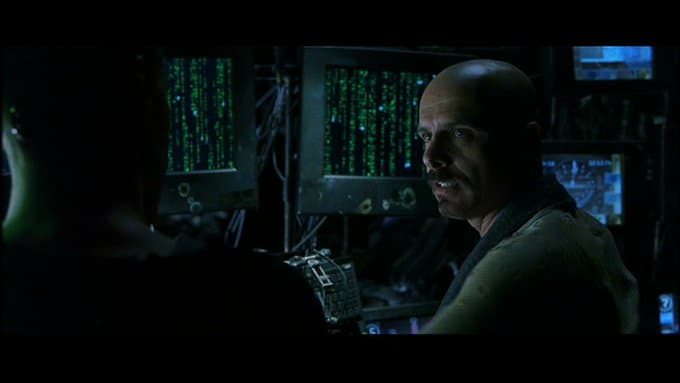
That's exactly what happened to me.
When I first opened a terminal and watched an AI agent work, I saw chaos. Text streaming past, API calls, JSON responses, file operations — it was overwhelming. I understood maybe 10% of what was happening.
But you keep watching. You start to recognize patterns. "Oh, that's it hitting the Fireflies API." "That response format means the CRM was updated." "Those lines mean it's reading my notes."
Nobody taught me what it all meant. I never took a class. I just...watched. And over time, the scrolling text became legible. Not every character — I still don't understand most of the technical details. But I understand the shape of what's happening. I can tell when something's working versus when something's stuck. I can intervene with guidance. I can say "wait, try a different approach" because I can see what the agent is attempting.
you know that feeling when you know a secret, a huge secret, and nobody else knows it yet. but, you know they're going to learn about it soon. and it's going to change everything.
— Kyle | @SelectStarKyle (@selectstarkyle) January 9, 2026
That's what working directly with CLI tools is like. Everyone is going to get there soon.
There's this feeling of having discovered something — a secret that's hidden in plain sight. Everyone's talking about AI, but most people are still using it through chat windows and browser plugins. They haven't experienced the CLI. They haven't felt what it's like to work alongside an agent in its native environment.
It sounds a bit dystopian, I know. Watching scrolling text, learning to read machine output. But it's also magical. It's like learning a new language, except the language gives you superpowers.
The Machine Layer Was Always There
Here's what blew my mind: the interfaces I needed were there all along. I just didn't know they existed.
Every SaaS tool you use has an API. Every database has a query language. Every service has a programmatic interface designed for machines to talk to machines. Developers have been using these for decades.
We non-technical people? We got the buttons. The forms. The dashboards designed by committee. We were interacting with a translation layer — a simplified interface built on top of the real thing.
The CLI puts you at the machine layer. Not because you've become a programmer, but because you have an agent who speaks machine fluently. Suddenly all those APIs, all those integrations, all those automation possibilities that were "for developers only" — they're yours.
My @firefliesai account has an API. My CRM has an API. My calendar, my email, my file storage — APIs everywhere. The CLI agent connects to all of them. I didn't have to learn any of it. I just had to learn to ask.
It's like discovering there was a staff entrance to every building you've ever visited — a faster, more direct route that was always there, just not advertised to the general public.
What This Means for You
I'm not asking you to become a developer. I'm asking you to consider meeting AI where it works best.
Here's how to start:
- Pick one workflow. Choose the most annoying, click-heavy thing you do regularly. The one where you think "I wish I could just tell someone to do this." That's your first integration.
- Install an AI CLI tool. I call them model harnesses. Claude Code CLI, Codex CLI, Gemini CLI — there are several options now, all designed to be approachable.
- Add Wispr Flow (or similar). The voice input is what makes this accessible. You don't need to type commands; you just describe what you want.
- Connect one MCP server / API / CLI utility. Start with something useful — your calendar, your email, your CRM. Just one.
- Watch the agent work. This is crucial. Don't just send prompts and check results. Watch the terminal as the agent operates. Learn to recognize the patterns.
You'll know when it clicks. There will be a moment — maybe the first time the agent does something that would have taken you 15 minutes, or the first time you successfully intervene mid-task, or the first time you understand what a block of scrolling text means.
And once it clicks, you won't want to go back.
The Future Is Already Here
"Attention is all you need" was a technical paper about neural network architecture. But the phrase resonated because it captured something deeper: the power of focus, of giving complete attention to the thing that matters.
That's what the CLI gives you. It strips away the distraction of a thousand browser tabs, the friction of navigating interfaces built for someone else, the cognitive overhead of context-switching between apps. It focuses everything — your voice, the AI's capabilities, your tools — into a single point of attention.
CLI is all you need.
I never expected to write those words. I never expected the command line to be my primary workspace. But here I am, feeling more capable than ever, doing work that would have been impossible three years ago.
The terminal isn't a place for developers anymore. It's a place for anyone willing to follow AI where it actually works.
See you in the terminal.
Also published on